
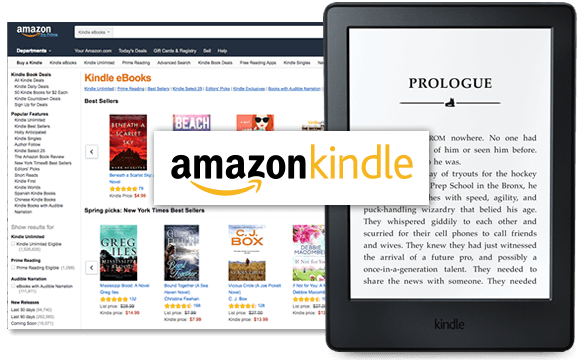
Publishing your eBook on Amazon Kindle is an excellent way to share your creativity, knowledge, or storytelling with a global audience. In this step-by-step guide, we'll walk you through the process of publishing your eBook on Kindle.
**1. Write Your eBook:
Before you can publish, you need a finished eBook. Write, edit, and proofread your content to ensure it's well-written and error-free. Consider formatting it for digital reading, with clear headings and a table of contents.
**2. Create a Kindle Direct Publishing (KDP) Account:
Visit the Kindle Direct Publishing website (kdp.amazon.com) and sign in with your Amazon account. If you don't have one, you can create a new Amazon account.
**3. Add a New eBook:
Once logged in, click on the "Create Kindle eBook" button. You'll be taken to a form where you can input your eBook's details.
**4. Enter eBook Details:
Fill in the eBook's details, including the title, author, description, and keywords. Choose categories that best fit your book. Upload a high-resolution cover image that meets Amazon's guidelines.
**5. Upload Your eBook:
You can upload your eBook file in various formats, including MOBI, EPUB, or even PDF. Amazon will automatically convert your eBook to their Kindle format.
**6. Set eBook Pricing:
Choose your eBook's pricing strategy. You can select between two royalty options: 35% or 70%. The 70% option requires specific price criteria, so check Amazon's guidelines.
**7. Enroll in Kindle Select (Optional):
Kindle Select is a program that provides exclusive distribution on Kindle and allows you to participate in Kindle Unlimited and Kindle Owners' Lending Library. You can choose to enroll or skip this step.
**8. Set Territories and Rights:
Specify where you have the rights to sell your eBook and whether it contains any public domain content. This step ensures you're compliant with Amazon's distribution policies.
**9. Preview Your eBook:
Use the Kindle Previewer tool or Amazon's online previewer to check how your eBook will look on various Kindle devices. Ensure formatting, images, and layout are as expected.
**10. Publish Your eBook:
Once you're satisfied with everything, click the "Publish Your Kindle eBook" button. It may take up to 72 hours for your eBook to become available on the Kindle Store.
**11. Promote Your eBook:
Publishing is just the first step. Promote your eBook through social media, your website, email newsletters, and other marketing channels to reach a wider audience.
**12. Monitor Sales and Reviews:
Keep an eye on your eBook's sales, reviews, and rankings. Engage with readers and consider making updates or promotions to boost sales.
Conclusion
Publishing your eBook on Amazon Kindle is a rewarding experience that allows you to share your work with a global audience. By following these steps and marketing your eBook effectively, you can increase your chances of success in the competitive world of digital publishing.